AI Accelerators Beyond TOPS: Memory, Bandwidth and Real Workloads
October 14, 2026
How My AI OS Investigates a Marketing Resource Decision
October 14, 2026
Editorial update: 11 October 2026 · A Stariy.com discovery guide
The most useful AI tool is not necessarily the model with the highest benchmark score. If you need to review a patent, investigate a suspicious network, audit an advertising account or model a mechanical part, the winning tool is often the one that understands your evidence, your constraints and your workflow.
This guide maps specialist AI products to actual tasks. It covers professional services, AI-enabled enterprise software, agent platforms and open-source infrastructure. These are not identical product types, and a product’s appearance here is not a claim that I personally tested or recommend purchasing it. Feature availability varies by plan, region and deployment. Verify those details on the vendor’s website before you commit.
Start with the task, not the logo. A researcher needs source traceability; a developer needs repository context and tests; a lawyer needs jurisdiction-specific authority; and a business analyst needs reliable data definitions. A fluent answer is not automatically a correct one.
What makes an AI tool genuinely specialized?
I divide the market into four layers:
- Domain-specific systems: combine AI with professional collections, such as legal research databases, patents, clinical literature or satellite imagery.
- Workflow products: implement a repeatable professional process, such as code review, sales forecasting, invoice capture or user research.
- Agents and orchestration: connect models to approved tools and APIs, and perform multi-step work under defined permissions.
- Model infrastructure: run, connect, search, monitor and evaluate models; these building blocks are not necessarily end-user software.
Many products combine layers. For example, a patent research platform may use an agent, but its real advantage is access to technical prior art and feature-level comparisons, not just a chat window.
Quick selection guide: choose by the output you need
| Real job | Start by evaluating | What to check before paying |
|---|---|---|
| Research with traceable sources | Elicit, Scite, Perplexity, Gemini Notebook | Citation accuracy and completeness of source coverage |
| Software development | Cursor, Codex, Claude Code, GitHub Copilot | Tests, repository access, security and rollback |
| Marketing & AI search visibility | Ahrefs Brand Radar, Profound, Peec AI | Which engines, regions and prompts are monitored |
| PPC performance | Optmyzr, Google Ads, Meta Advantage+ | Conversion source, attribution and actual order outcomes |
| Patent novelty or FTO | Patsnap Eureka, IPRally | Prior-art evidence, jurisdictions and lawyer review |
| OSINT and brand intelligence | Maltego, Fivecast, Brandwatch | Source legality, provenance, false positives and recency |
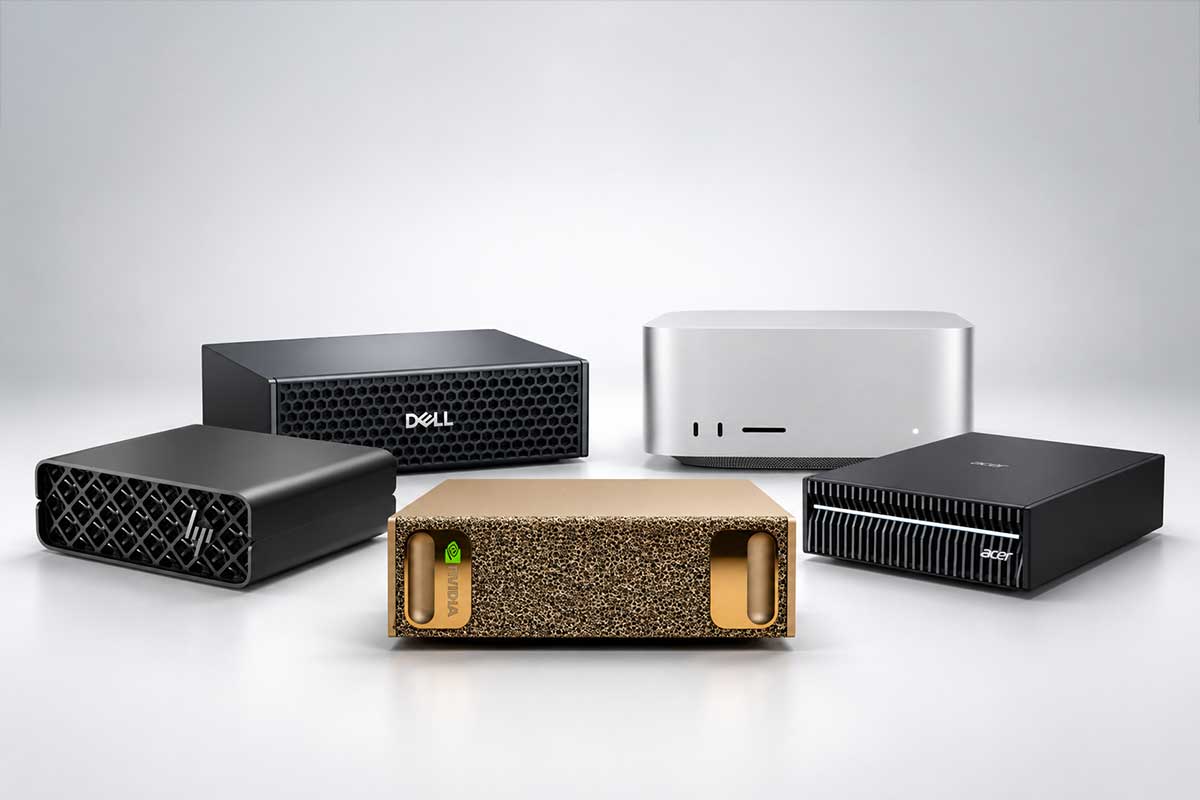
| Local and private AI | Ollama, LM Studio, Open WebUI, Qdrant | Usable memory, inference speed and data boundaries |
| Video from existing interviews | Descript, OpusClip, ElevenLabs | Transcript quality, consent and usage rights |
| CAD and engineering | Autodesk Fusion, Ansys SimAI, nTop | Editability, dimensions, physical validation |
| Production AI systems | n8n, Langfuse, Promptfoo | Permissions, audit logs, evaluations and fallbacks |
Directory: AI tools by professional domain
The descriptions below are intentionally short. For high-stakes work, compare documentation and test outputs using your own representative cases. This is a discovery index, not a ranking. It contains 195 directory entries across 30 categories, including products, platform features and open-source infrastructure. Some platforms appear in more than one workflow category; the count does not mean 195 independent products.
1. Research and fact-checking
- Perplexity — Web research with linked sources.
- ChatGPT Deep Research — Multi-step research and documented reports.
- Gemini Deep Research — Research plans and source synthesis.
- Gemini Notebook (formerly NotebookLM) — Questions, notes and audio over supplied sources.
- Exa — Web search and content extraction API for AI agents.
- Tavily — Search and retrieval API for AI workflows.
2. Science and evidence
- Elicit — Literature reviews and structured paper extraction.
- Consensus — Search answers grounded in scientific papers.
- Scite — Citation context and supporting or contrasting evidence.
- SciSpace — Read and explain academic PDFs.
- ResearchRabbit — Discover connected papers and authors.
- Semantic Scholar — Semantic academic search.
3. Software engineering
- Cursor — AI-native coding editor.
- Claude Code — Agentic coding and repository work.
- OpenAI Codex — Delegated programming tasks and code review.
- GitHub Copilot — Coding assistance in development workflows.
- Devin Desktop (formerly Windsurf) — Agent-based software development environment.
- Aider — Terminal-based AI pair programming.
- Cline — Open-source coding agent for IDE, terminal and desktop workflows.
4. No-code and app building
- Lovable — Turn requirements into web applications.
- Bolt.new — Browser-based full-stack application generation.
- Replit Agent — Build and deploy software from prompts.
- v0 — Generate UI components and interfaces.
- FlutterFlow — Visual mobile and web app development.
- Framer — AI-assisted design and publishing of websites.
5. Agents and automation
- ChatGPT Work — Multi-step execution across files, browser and tools.
- Manus — Research and task execution by a general agent.
- n8n — Automated API workflows with AI and self-hosting options.
- Make — Visual automation between business apps.
- Zapier — Integrations and agent-enabled app workflows.
- CrewAI — Orchestrate teams of role-specific agents.
- Dify — Build RAG apps and agent workflows.
- Relevance AI — Business agents and agent teams.
6. Local AI and RAG
- Ollama — Run open models locally or via supported cloud routes.
- LM Studio — Desktop interface to local LLM inference.
- Open WebUI — Self-hosted model interface and document tools.
- AnythingLLM — Document-centric personal or team AI workspace.
- llama.cpp — Lightweight inference engine for open models.
- vLLM — High-throughput model serving infrastructure.
- LlamaIndex — Connect LLMs to knowledge sources.
- Qdrant — Vector search database for semantic retrieval.
7. Analytics and business intelligence
- Hex — SQL and Python analytics with interactive reports.
- Julius AI — Analyze spreadsheet files and produce charts.
- ThoughtSpot — Natural-language analytics on business datasets.
- Microsoft Power BI — BI dashboards and Copilot-assisted analysis.
- Tableau — Enterprise visualization and AI features.
- Dataiku — Machine learning and governed analytics workflows.
- Databricks — Large-scale data and AI platform.
8. AI search visibility and SEO
- Ahrefs Brand Radar — Track brand mentions across AI answers.
- Semrush — SEO and AI visibility research.
- Profound — Enterprise generative-search brand analytics.
- Peec AI — Track branded answers for selected AI prompts.
- Otterly.AI — Monitor AI answer citations and mentions.
- Surfer — Optimize search-focused editorial content.
- Clearscope — Semantic topic coverage for articles.
9. Performance marketing and ad creative
- Google Ads — AI-assisted campaign bidding and ad generation.
- Meta Advantage+ — AI-enabled advertising automation and creative features in Meta; availability varies.
- Optmyzr — PPC auditing and rule-driven automation.
- Madgicx — Meta advertising analytics and optimization.
- AdCreative.ai — Generate visual ad creative variants.
- Pencil — Create and test advertising creative.
- Smartly — Enterprise-scale creative production and ads.
10. Sales and CRM
- Clay — Research and enrich prospect information.
- Apollo — B2B prospecting and outreach.
- Gong — Analyze sales conversations.
- HubSpot Breeze — Breeze Assistant supports workflow building in HubSpot Agent Hub; subscription requirements apply.
- Salesforce Agentforce — CRM-related business agents.
- 6sense — B2B intent and account intelligence.
11. E-commerce and customer experience
- Klaviyo — Customer lifecycle marketing and prediction.
- Bloomreach — Product search and personalization.
- Nosto — Personalized product recommendations.
- Rebuy — Upsell and cross-sell for online stores.
- Contentsquare — Customer journey and behavioral insights.
- Fullstory — Session analysis and digital experience insights.
- Intercom Fin — AI customer service agent.
12. OSINT and media intelligence
- Maltego — Investigate connections and entity graphs.
- Social Links — OSINT analysis across supported public sources.
- Fivecast — Public-source risk and intelligence workflows.
- Babel Street — Multilingual open-source intelligence.
- Dataminr — Detect emerging signals from public information.
- Graphika — Analysis of influence networks and narratives.
- Brandwatch — Social listening and brand monitoring.
13. Cybersecurity
- Microsoft Security Copilot — Security incident analysis and SOC support.
- CrowdStrike Charlotte AI — Security investigation assistance.
- SentinelOne Purple AI — Natural-language threat hunting.
- Darktrace — Behavior-based anomaly detection.
- Wiz — Cloud-security risk analysis.
- Snyk — Vulnerability analysis for software.
14. Legal work and contracts
- Harvey — AI legal research and document workflows.
- Thomson Reuters CoCounsel — Legal research and document analysis.
- Lexis+ with Protégé — AI-assisted legal research using LexisNexis sources; access and jurisdiction coverage vary.
- Legora — Collaborative legal document analysis.
- Spellbook — Draft and review contracts.
- Luminance — Analyze large contract portfolios.
15. Patents and intellectual property
- Patsnap Eureka — Novelty, prior art and freedom-to-operate research.
- IPRally — Semantic patent similarity search.
- PatentSight+ — Patent portfolio analytics.
- Questel — IP research and patent intelligence.
- Google Patents — Public patent search, not a substitute for counsel.
16. Healthcare and life sciences
- OpenEvidence — Medical information platform featuring clinical literature for healthcare professionals.
- Abridge — Clinical notes from healthcare conversations.
- Nabla — Clinical documentation assistant.
- Aidoc — AI-supported medical imaging workflows.
- Tempus — Clinical and molecular data analysis.
- AlphaFold DB — Database of predicted protein structures, not experimental structure confirmation.
- Insilico Medicine — Drug discovery using AI.
17. Finance and accounting
- Ramp — Expense operations and finance workflows.
- Vic.ai — Accounts-payable document automation.
- QuickBooks — Small-business bookkeeping with AI features.
- Datarails — Financial planning and reporting.
- AlphaSense — Research financial documents and markets.
- Hebbia — Document-intensive financial analysis.
18. Learning and languages
- Khanmigo — AI tutor and teaching assistant.
- Speak — AI conversation practice.
- ELSA Speak — Feedback on English pronunciation.
- Praktika — Language practice with virtual tutors.
- Quizlet — Flashcards and AI-assisted study guides; feature eligibility and subscription requirements apply.
- MagicSchool — AI-assisted lesson preparation and teacher workflows.
19. Translation and writing
- DeepL — Document translation and writing assistance.
- Grammarly — Grammar and tone editing.
- LanguageTool — Multilingual language checking.
- Jasper — Brand-consistent marketing copy.
- Writer — Enterprise AI content and workflows.
- Smartcat — Translation and localization management.
20. Audio, speech and voice
- ElevenLabs — Speech synthesis, dubbing and voice agents.
- Deepgram — Speech recognition and voice APIs.
- AssemblyAI — Speech transcription and audio intelligence.
- Speechmatics — Multilingual speech recognition.
- Retell AI — Build AI voice agents for calls.
- Vapi — Developer platform for voice agents.
- Adobe Podcast — Enhance recorded speech and podcasts.
21. Music and sound
- Suno — Generate music from prompts.
- Udio — AI music creation. Udio’s help documentation says audio, video and stem downloads are disabled; check export availability before relying on it for production.
- Stable Audio — Generate music and sound effects.
- AIVA — Compose instrumental background music.
- Soundraw — Generate background music for media.
- Auphonic — Automatic audio post-production.
22. Video production and editing
- Google Veo — Generative video model.
- Runway — Generative video and editing workflows.
- Kling AI — Text- and image-to-video generation.
- Pika — Short generative clips and effects.
- Descript — Edit video and podcasts via transcription.
- OpusClip — Turn long videos into short clips.
- HeyGen — Video avatars and localization.
- Synthesia — Training videos with AI presenters.
23. Visual design and images
- Midjourney — Illustrative and conceptual images.
- Adobe Firefly — Generate and edit images and design assets.
- Ideogram — Design images that include typography.
- Recraft — Vector graphics and branded illustrations.
- Canva — Social graphics and presentation design.
- Photoroom — Product photography and background editing.
- Topaz Labs — Photo and video enhancement.
24. Slides and visual explanation
- Gamma — Generate presentations and visual documents.
- Beautiful.ai — Presentation layout automation.
- Napkin AI — Turn prose into diagrams.
- Plus AI — AI slide tools for office platforms.
- Figma — Interface design with AI features.
- Miro — Collaborative visual brainstorming with AI.
25. Engineering and CAD
- Autodesk Fusion — CAD/CAM/CAE and generative design.
- Ansys SimAI — AI-assisted predictions from engineering simulation data; validate against physical requirements.
- nTop — Computational engineering geometry.
- Zoo — Text-to-CAD and programmable geometry.
- Meshy — Generate 3D meshes, not validated manufacturing CAD.
- Tripo AI — Create 3D models from prompts or photos.
- Vizcom — Visualize product design sketches.
26. Robotics and computer vision
- NVIDIA Isaac Sim — Robot and sensor simulation.
- NVIDIA Isaac Lab — Train and evaluate robotic policies.
- Hugging Face LeRobot — Open robotics models and datasets.
- Roboflow — Build computer-vision datasets and models.
- Edge Impulse — Embedded machine learning.
- Foxglove — Debug and visualize robotics data.
27. Geospatial and satellite AI
- Esri ArcGIS — GeoAI analysis of spatial data and imagery.
- Planet — Satellite imagery and analytics.
- BlackSky — Space-based monitoring and intelligence.
- Picterra — Detect objects and changes in imagery.
- Google Earth Engine — Large-scale remote sensing computation.
- EOSDA — Satellite analytics for land and agriculture.
28. Document processing and OCR
- Mistral OCR — Extract structured content from PDFs and scans.
- Reducto — Parse complex documents for AI workflows.
- LlamaParse — Document parsing for retrieval pipelines.
- Nanonets — Automate extraction from invoices and forms.
- Google Document AI — Enterprise document extraction.
- Amazon Textract — Detect text, tables and forms.
29. Product research and management
- Dovetail — Synthesize interviews and user feedback.
- Maze — User research and prototype tests.
- Productboard — Customer insight and product prioritization.
- Aha! — Product strategy and roadmaps.
- Uizard — Generate interface wireframes.
- Figma AI — Assist with interface design work.
30. AI evaluation and governance
- Langfuse — Trace prompts, agent calls, costs and evaluations.
- LangSmith — Debug and evaluate LLM applications.
- Arize — AI observability and failure analysis.
- Braintrust — Run repeatable evaluations of AI features.
- Promptfoo — Prompt testing and security evaluations.
- Ragas — Measure quality of retrieval-augmented answers.
Six checkpoints before you choose an AI service
1. Start with one measurable job. Define the input, expected output, acceptance criteria and human owner. “Help with marketing” is too vague; “explain why completed orders fell with source-linked evidence” can be tested.
2. Inspect the source layer. Ask whether the answer comes from a model’s training, the live web, proprietary professional data or your own database. Require links to original records when a decision depends on facts.
3. Understand access and data use. What can the agent read, modify, send or delete? Where are files stored? Can they be used to train models? Check export, deletion and retention policies, and follow least privilege.
4. Test representative failures. Start with 5–10 real cases, including ambiguous and broken inputs; this is a pilot sample, not proof of production reliability. Measure unsupported claims, omissions, recovery time and the share of cases requiring human review.
5. Calculate the full cost. Add licenses, API calls, inference, storage, implementation, supervision and switching. “Free tier” does not necessarily mean free deployment at scale.
6. Demand an exit route. Exportability, standard formats, documented API endpoints and reproducible results reduce vendor lock-in.
An evaluation worksheet
As an optional worksheet, score each candidate on a 0–5 scale against six dimensions: task outcome, evidence quality, integration, security, total cost and reversibility. Do not blindly total scores: a tool that fails a mandatory security, source-integrity or jurisdiction requirement is disqualified even if it scores highly elsewhere.
How to assemble a practical AI stack
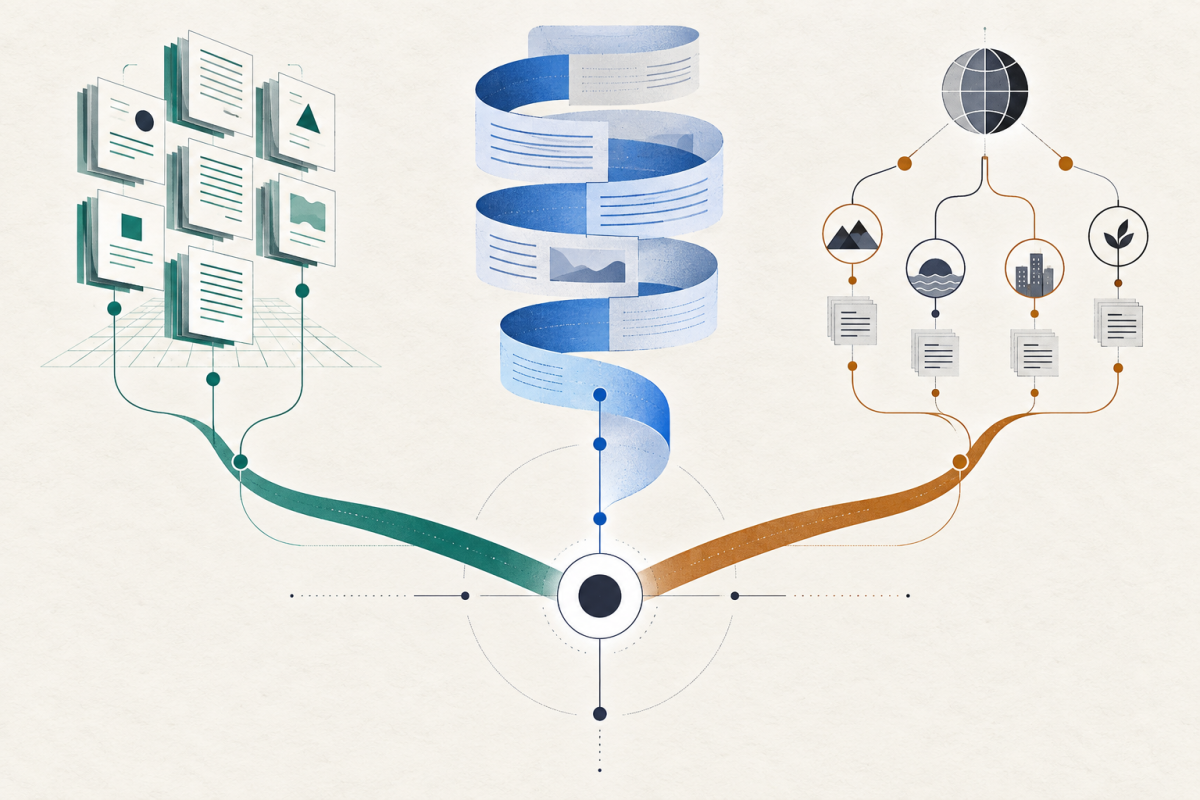
A useful stack often has five parts: professional data → model or specialized service → automation → evidence/logging → human approval. For instance, a marketing system may connect order data, an analytics layer, an agentic workflow and a review dashboard. A patent workflow instead needs prior-art databases, technical comparisons and patent counsel. Neither problem is solved by adding more chatbots.
Avoid giving a single agent unrestricted write access to production, customer data and external messages. Build read-only discovery first, then bounded actions with logs, validation and rollback.
Important limitations and corrections
- AI-enabled does not mean generative. Some listed products primarily use machine learning, search, graph analytics or computer vision.
- Medical, legal and financial use: tools may support professionals, but cannot substitute for licensed advice or independently validated decisions.
- OSINT and maps: aggregating public reports is not equivalent to a verified physical sensor or official warning system.
- 3D model vs CAD: a visually impressive mesh is not a dimensionally validated manufacturing drawing.
- Availability changes quickly. Some products depend on enterprise sales, eligibility, language, jurisdiction or plan.
- Sora is not listed as an active video tool: OpenAI’s discontinuation notice lists 26 April 2026 for the app and web product and 24 September 2026 for the API.
- Product names and export: Google renamed NotebookLM to Gemini Notebook; Devin Desktop is the new name for Windsurf. Udio’s export notice says audio, video and stem downloads are disabled. Check these conditions again before depending on a tool.
Frequently asked questions
Is there one AI tool that does everything?
No. General assistants are excellent entry points; specialist systems add data access, interfaces, professional validation or operational integrations that a generic chatbot may lack.
Which tool should a small business start with?
Start with an existing data bottleneck: perhaps support requests, reporting, meeting notes or lead qualification. Choose an inexpensive trial around one measurable outcome before committing to a platform.
Are local AI models always cheaper or more private?
Not automatically. Local deployment adds hardware, maintenance and security responsibilities. A hybrid stack often works better than an all-cloud or all-local ideology.
Can I trust a product marked “AI-powered”?
Treat the label as a vendor description. Require repeatable examples, source traceability where appropriate, independently checkable outputs and clear limitations.
Sources and editorial transparency
This directory is a research-based overview, not a laboratory benchmark. Names and capabilities are summarized from vendors’ published descriptions and selected primary guidance. Not every feature, plan or regional restriction was independently exercised. This guide does not rank products or promise prices. AI assistance was used to structure and draft the material. Check current vendor documentation and evaluate tools on your own tasks before adopting them.